In This Article
A listing that was selling normally on Friday is inactive on Monday. Seller Central marks it as suppressed, the reason points to the Marketplace Fair Pricing Policy or a potential pricing error, and nothing about the product has changed. No counterfeit claim, no customer complaint, no warning email you can find. Just a price Amazon has decided it doesn't like.
Fair pricing suppressions catch sellers off guard because the trigger is rarely obvious. The real culprit might be a promotion that ended, a shipping fee that crept up, or a lower price on your own website that Amazon's systems have spotted. Until you know what tripped the check, you can't fix it properly, and guessing costs you days of lost sales.
This guide covers what the policy says, how suppression differs from suspension, how to work out why you were flagged, and how to stop it happening again.
1.What the Fair Pricing Policy Actually Says
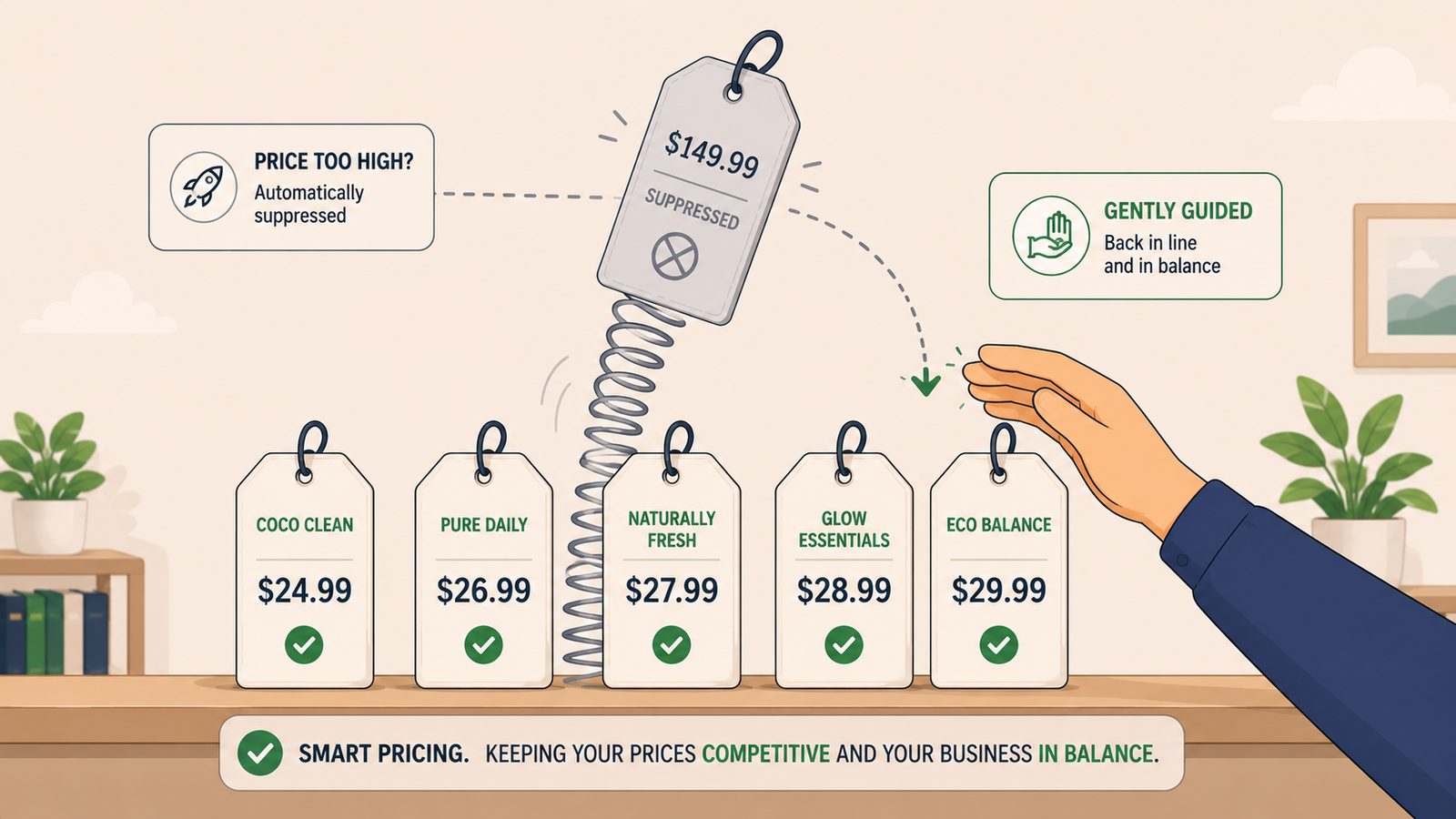
Amazon's Marketplace Fair Pricing Policy lets Amazon act against any offer it believes harms customer trust. The stated aim is to keep prices attainable for customers, and the mechanism is comparison. Amazon monitors your total price, item plus shipping, against recent prices for the same product both on Amazon and on other sales channels.
The most common trigger is a total price significantly above those reference points. That includes your own history. If you sold a product at £19.99 for six weeks and move it to £34.99 overnight, the jump alone can flag the offer, even if £34.99 is a perfectly reasonable price. It also includes prices off Amazon entirely. A product listed at £24.99 on your own website and £39.99 on Amazon is precisely the gap the policy targets, whatever the fee difference between channels.
Several other patterns trip the same check. Shipping charges set high enough to look like gouging, usually a low item price hiding an inflated delivery fee. Misleading reference prices, such as a was-price the product never genuinely sold at. Multi-pack prices that work out more expensive per unit than buying the items individually. And raising prices on essential goods during an emergency, which Amazon treats more severely than anything else on this list.
2.Suppression Is Not Suspension
Before you panic, it's worth knowing where you actually sit on Amazon's escalation ladder.
The mildest consequence is losing the Featured Offer, what most sellers still call the Buy Box. The listing stays live, but sales quietly fall away, and many sellers never realise a pricing check caused it.
Suppression is the next step, and it's a listing-level action. The offer becomes inactive, so customers can't find or buy it, but your inventory stays where it is, your other listings keep selling, and your account health is untouched. Fix the price and the listing comes back once Amazon's systems reindex.
Account suspension and fund holds sit at the top of the ladder, and they're reserved for a different class of problem: repeated violations that a seller ignores, or egregious cases like emergency price gouging. A single suppressed listing is nowhere near that territory.
The distinction matters because the two problems call for different responses. A suppressed listing is a pricing problem, fixed by changing a number. A suspended account is a trust problem, fixed by a formal plan of action. Treating a suppression like a suspension, firing off appeal letters before checking your own price data, just slows everything down.
3.Working Out Why You Were Flagged
The fix is only quick if you diagnose the actual trigger, so resist the urge to change prices at random.
Start with your own price history on the flagged ASIN, looking back 90 days. A promotion that ran for weeks then expired is the classic silent trigger, because the discounted price became the reference and the return to normal reads as a spike. Stacked discounts do the same job: a sale price, a voucher and a Subscribe and Save discount ending at different times make your history look erratic.
Then look off Amazon. Check the same product on your own website, eBay, and any other channel you sell through, and compare total delivered prices rather than item prices. If any channel undercuts your Amazon offer by a wide margin, you've likely found the cause. Sellers are often flagged by their own multichannel pricing drifting apart, not by anything a competitor did.
Check the shipping fee on the offer, especially for merchant-fulfilled listings, and do the per-unit maths on any multi-pack. Finally, open the Pricing Health page in Seller Central. Amazon lists offers it considers uncompetitive or at risk there, often with the reference price it's comparing you against, which removes a lot of the guesswork. And search your email and Seller Central notifications, because Amazon usually flags pricing concerns and allows a window to correct them before enforcement escalates.
4.Fixing It, and the MAP Trap
Once you know the trigger, the standard fix is unglamorous: adjust the price in Manage Inventory so it sits back within a defensible range, and wait for the system to reindex, typically 24 to 48 hours.
If your price is already competitive and you believe the flag is wrong, appeal through the Account Health dashboard with evidence rather than argument. Show your recent price history, comparable offers, and delivered prices from other channels. A good appeal covers three things: the root cause of the pricing inconsistency, the corrective action you've taken, and the preventive measures now in place.
One situation deserves its own mention. If you sell branded goods under a minimum advertised price agreement, you can be squeezed from both sides: the MAP sets a floor you can't price below, while Amazon's algorithm flags you for sitting above competitors ignoring their own MAP obligations. Amazon's systems don't recognise MAP agreements. Your realistic options are to document the agreement for any appeal, raise the violations with the brand, or accept reduced visibility on that ASIN.
5.Stopping It Happening Again
Prevention comes down to never being surprised by your own prices. Keep your channels aligned, so a repricing decision on your website is reflected on Amazon rather than left to drift. Make price increases gradual, stepping up over days rather than in one jump that reads as a spike. Audit promotions monthly, because expired sales and forgotten vouchers are behind a large share of these flags. And set minimum and maximum prices on every SKU, so no repricer or upload error can push an offer into territory that triggers the policy. We've covered how to calculate those guardrails properly in our guide to Amazon min and max pricing.
Most of that is rule-based automation, and honestly, most of it should be. Syncing prices between channels and recalculating guardrails when costs change is straightforward workflow logic that needs no intelligence at all. Where AI genuinely earns a place is anomaly detection. A model watching price behaviour across a few hundred SKUs and several channels can flag the oddities a rule would miss: a channel drifting out of line, a discount stack producing a price you never set, a competitor's glitched offer about to drag your repricer somewhere unwise. Catching that on Tuesday is much cheaper than discovering a suppressed listing the following Monday.
Before You Touch Anything
Confirm the actual trigger first, using Pricing Health and your own price history, and check your email for Amazon's pricing notification before writing any appeal.
Fix the price, note what caused it, and give the listing 48 hours to reindex before escalating.
Then spend twenty minutes setting min and max prices on your top SKUs so the same flag doesn't cost you another week of sales.
Which Tools Can Do This?
Amazon's own Pricing Health dashboard and free Automate Pricing tool cover the basics, and repricers such as BQool and Repricer.com keep offers within set bounds. For cross-channel price syncing and scheduled checks, Power Automate (part of Microsoft 365), Make and Zapier all do the job. AI models like OpenAI, Claude and Gemini handle the anomaly detection layer, and custom builds on Amazon's SP-API suit larger catalogues.
If you'd rather have someone set up the monitoring, keep your channels aligned and handle the appeal if a listing does get suppressed, that's what Fulcrum Three does as part of our managed operations service.
See where your pricing setup is exposed before Amazon does.
Book a Free Operations Audit →