In This Article
If you've sat through any software demo in the last year, you'll have heard the word "agent" at least a dozen times. Every platform now claims to have them. Every vendor insists they'll transform your business. Very few explain what they actually are, and almost none are honest about what they can't do.
That gap matters, because AI agents for business are genuinely useful, just not in the way the marketing suggests. They won't run your company while you sleep. They will, if pointed at the right tasks, quietly absorb a chunk of the repetitive knowledge work that currently eats your week.
This is a plain-English tour of what an agent is, what it does well today, where it falls over, what it costs, and how to try one without betting anything important on it.
What an AI Agent Actually Is
A chatbot answers questions. You ask something, it replies, and that's the end of the transaction. Useful, but limited.
An agent is different in one important way: it can read context and then take a sequence of actions to get something done. Give it access to your inbox and your order system, and instead of just telling you what your returns policy says, it can read a customer's email, look up their order, check whether they're inside the returns window, draft a reply, and file the whole thing under the right label, ready for you to review.
That's the honest definition. An agent is software that works towards a goal across multiple steps, using your systems along the way, rather than following a single fixed script. Think of it as a capable but very literal junior assistant. It will do exactly what the task requires, at any hour, without complaint. It will also occasionally do something confidently wrong, which is why the rest of this article matters.
What Agents Do Well for a Small Business Today
The strongest use cases share a pattern: high volume, text-heavy, and low stakes if a single item needs correcting.
Drafting replies is the obvious one. An agent that reads an incoming enquiry and produces a draft response, with the relevant details already pulled in, turns a ten-minute job into a thirty-second review. You still hit send. It just does the typing and the looking-up.
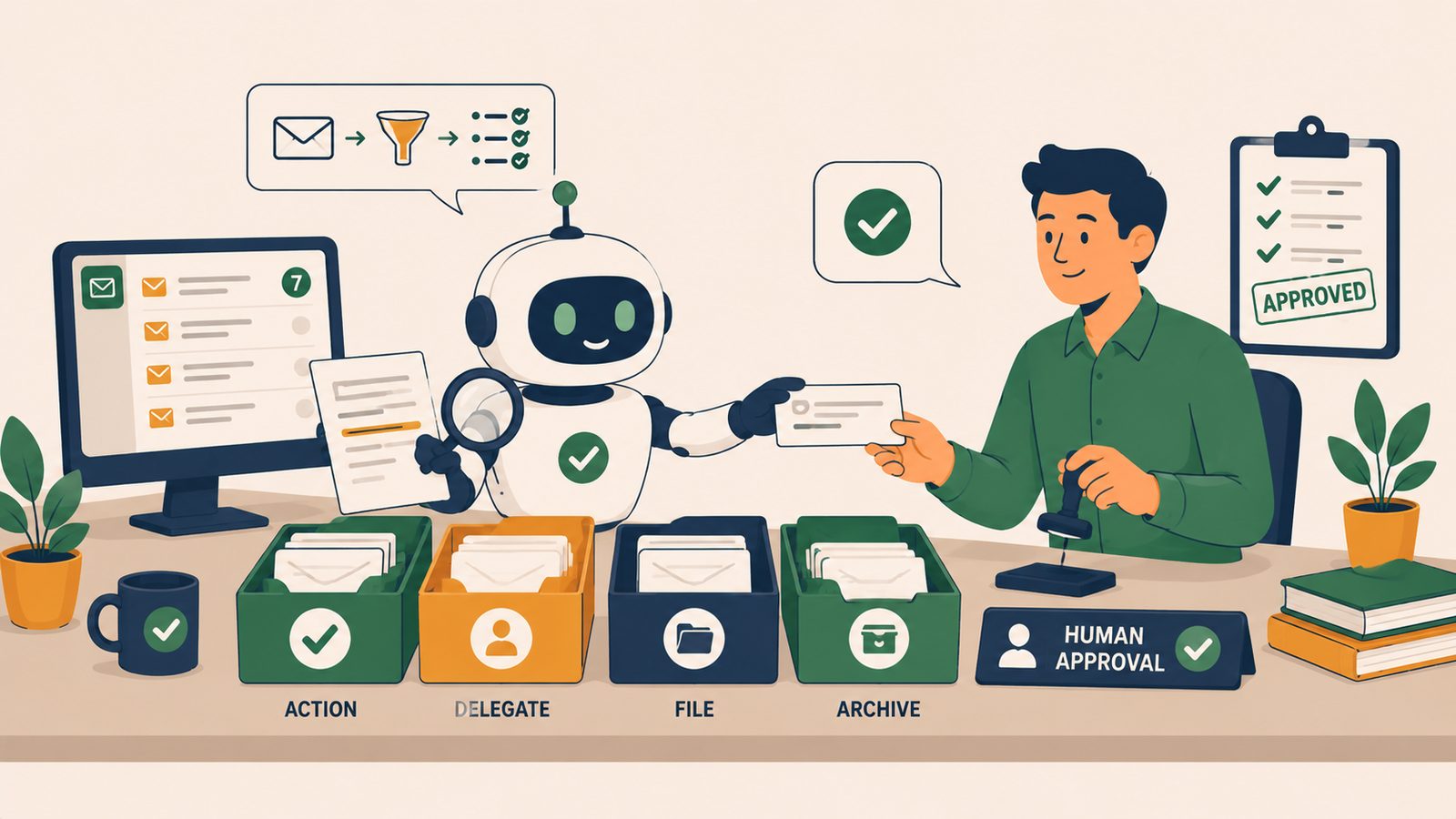
Inbox triage is close behind. An agent can read every message as it lands, work out what it's about, label it, route it to the right person, and flag anything urgent. Unlike keyword rules, it copes when people phrase things oddly, because it reads meaning rather than matching words. We've covered how this plays out in a service context in our piece on AI agents in eCommerce customer service, where triage rather than replacement is the whole game.
Document extraction is less glamorous and possibly more valuable. Supplier invoices, purchase orders, delivery notes and statements arrive as PDFs in a hundred slightly different layouts. An agent can pull out the supplier name, invoice number, line items and totals, and drop them into a spreadsheet or your accounting software. For a business processing a few hundred documents a month, that's hours of tedious retyping gone.
Then there's monitoring and summarising. An agent can watch a mailbox, a set of reports or a dashboard, and send you a short summary of what changed and what looks unusual, instead of you checking five systems every morning. And for first-pass research, comparing suppliers, summarising a regulation, pulling together background on a prospect, an agent produces a decent starting draft in minutes. Not a finished answer. A starting point that saves the first hour.
Where They Fail, and Why You Stay in the Loop
Agents inherit the weaknesses of the AI models underneath them, and the biggest is this: when they don't know, they guess, and the guess arrives with exactly the same confidence as a correct answer.
That makes judgement calls the hard boundary. Should this customer get a refund outside policy? Is this supplier dispute worth escalating? Does this contract clause matter? An agent can assemble the facts beautifully and still make the wrong call, because the right call depends on relationships, history and commercial context it doesn't have.
Edge cases are the other failure mode. An agent that handles ninety-five typical invoices perfectly will do something strange with the five that are formatted unusually, and it won't always tell you it struggled. The work looks uniform from the outside, which is precisely why it needs spot checks.
The practical rule that falls out of this is simple: nothing an agent produces should reach a customer, a supplier or a regulator without a human looking at it first. Drafts, yes. Internal summaries, yes. Final answers to the outside world, not without review. Businesses that skip this step tend to learn the lesson publicly.
Agents Work Alongside Automation, Not Instead of It
It's tempting to see agents as the replacement for the automation you've already built. They aren't, and treating them that way wastes money.
Rules-based automation is still the right tool for anything predictable. Moving order data between systems, sending a notification when stock drops below a threshold, chasing an unpaid invoice on day seven. These need to happen the same way every time, and a fixed rule does that faster, cheaper and more reliably than any model. If that layer is new to you, our guide to business process automation covers the foundations.
Agents earn their keep at the messy ends of those workflows: the parts that involve reading, interpreting or writing. A useful mental model is a pipeline. The agent reads the incoming email and works out what it is. The rules take that structured result and do the routing, logging and notifying. Each does what it's good at, and the boring middle stays boring, which is exactly what you want from it.
What It Realistically Costs
Less than you might fear, with one caveat.
The software itself is not the expensive part. AI features inside platforms you may already pay for, such as Microsoft 365 or your helpdesk, typically add somewhere between £15 and £30 per user per month. Standalone automation platforms with AI steps sit in a similar range for modest usage, and if you go the custom route, the underlying model calls often cost pennies per task.
The real cost is time. Someone has to define the task precisely, connect the systems, test the agent against real examples, and then supervise it for the first few weeks while the rough edges show themselves. For a single well-chosen workflow, expect a few days of focused effort spread across a month, whether that's yours or someone you bring in. Budgeting money but not attention is the most common way these projects stall.
How to Pilot One Safely
Start with one task, and make it internal. Invoice data extraction, inbox triage or a morning summary are all good first candidates because a mistake costs you a correction, not a customer.
Run the agent in draft mode, where everything it produces waits for approval. Compare its output against what you'd have done yourself for a couple of weeks, and keep a note of where it goes wrong. If the error rate is low and the errors are boring, widen its remit. If not, tighten the task definition and try again. Only once it has earned trust on internal work should anything move closer to your customers, and even then, keep the review step.
Which Tools Can Do This?
Power Automate (part of Microsoft 365) includes AI Builder for document extraction and connects agents to Outlook, Excel and Teams. Make and Zapier both offer AI steps and agent features with wide app coverage. The models themselves, OpenAI, Claude and Gemini, can be plugged into most platforms for reading, classifying and drafting, and custom API builds cover workflows the off-the-shelf tools can't reach.
If you'd rather have someone work out where an agent genuinely fits your operation, build it and mind it, that's what Fulcrum Three does.
See which tasks an agent could take off your plate, and which ones it shouldn't touch.
Book a Free Operations Audit →